
To enable simple and efficient translation of website content directly within the editorial interface, a new feature called “Translator” has been introduced. This new functionality makes it possible to create and manage multilingual content without the need for external tools. With the Translator, you can translate both individual articles and entire website sections.
Basic overview of the Translator
- You can translate individual articles and pages directly in their detail view via the “Request translation” option.
- For bulk translation of entire website sections, use the “Translator” module, where you can also see a list of all translation requests.
- Translations are provided by DeepL, ChatGPT, and ChatGPT mini.
For proper operation, the xtranslator and xeventqueue modules must be installed.
How to translate a single page step by step 
- Open the page you want to translate and click “Request translation”.
- Select the source language (the language the text is written in).
- Choose the target language (the language you want to translate the text into).
- Select the translation provider (DeepL, ChatGPT, or ChatGPT mini).
- Set the level of formality (more formal, less formal, or unchanged).
- Decide whether to overwrite text that already exists in the target language.
- Confirm and wait a few seconds or minutes depending on the length of the text.
- To view the translated content, refresh the page (F5).
In the “Request translation” section, you will also see the request history – when the translation was submitted, in which language, and its current status.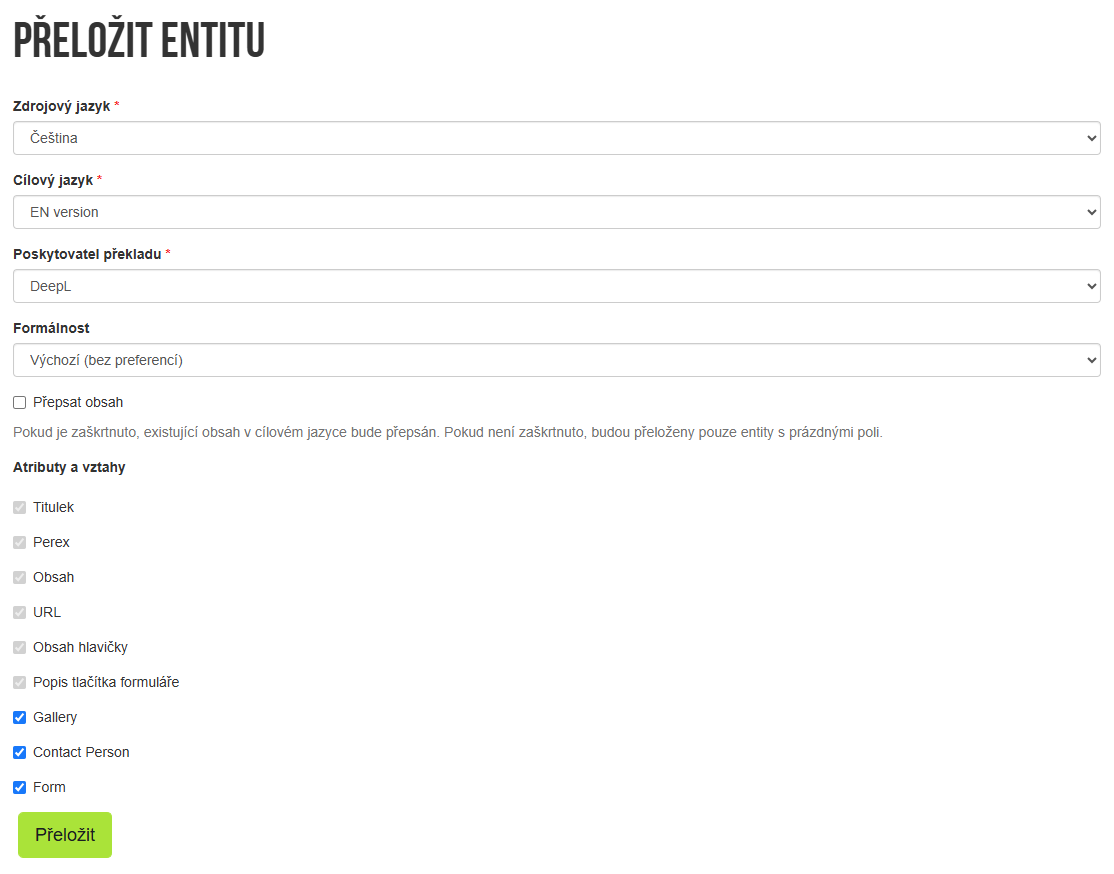
How to bulk translate entire sections
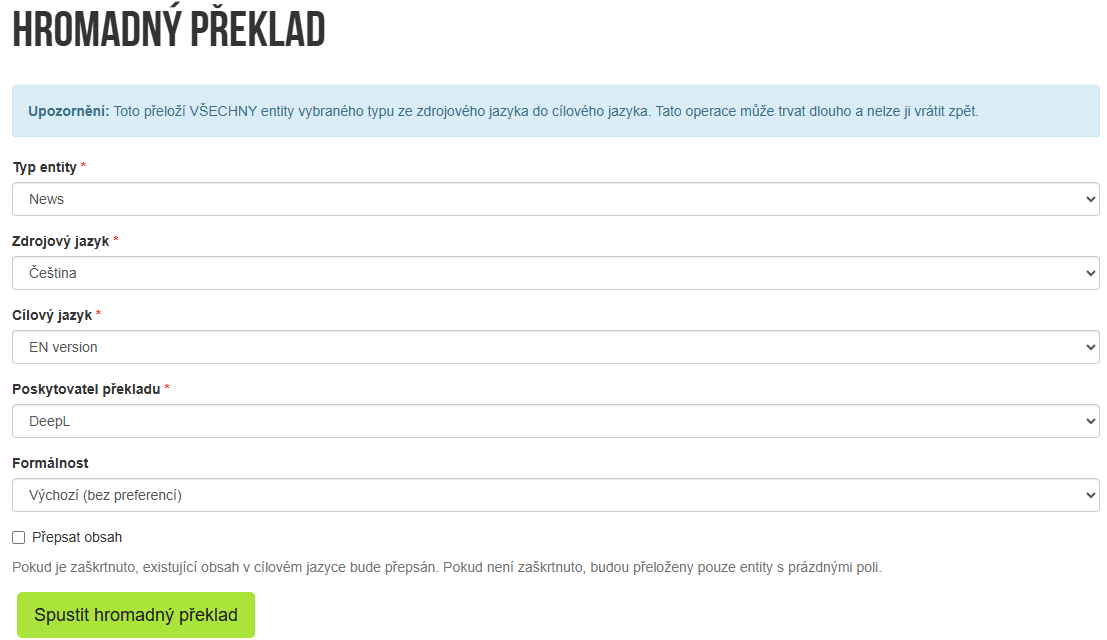
- In the menu, open the “Translator” module.
- Click the “Bulk translation” button.
- Select the entire website section, the source language, and the target language.
- Choose the translation provider and set the level of formality.
- Confirm – translating a large volume of content usually takes several minutes. (Translation runs at defined intervals, but at least once per day.)
Translation request overview
- In the “Translator” module, you will find a complete list of all translation requests – including the time they were submitted, the provider used, the source and target languages, and the current status (Not translated, For review, Implemented).
- This way, you always know what is already done and what is still waiting to be completed.
